Revision history
Know which SOP version is current and what it replaced.
Interactive Dox connects workflow execution with roles, approvals, signatures, revisions, and evidence, so automation remains accountable as the business changes.
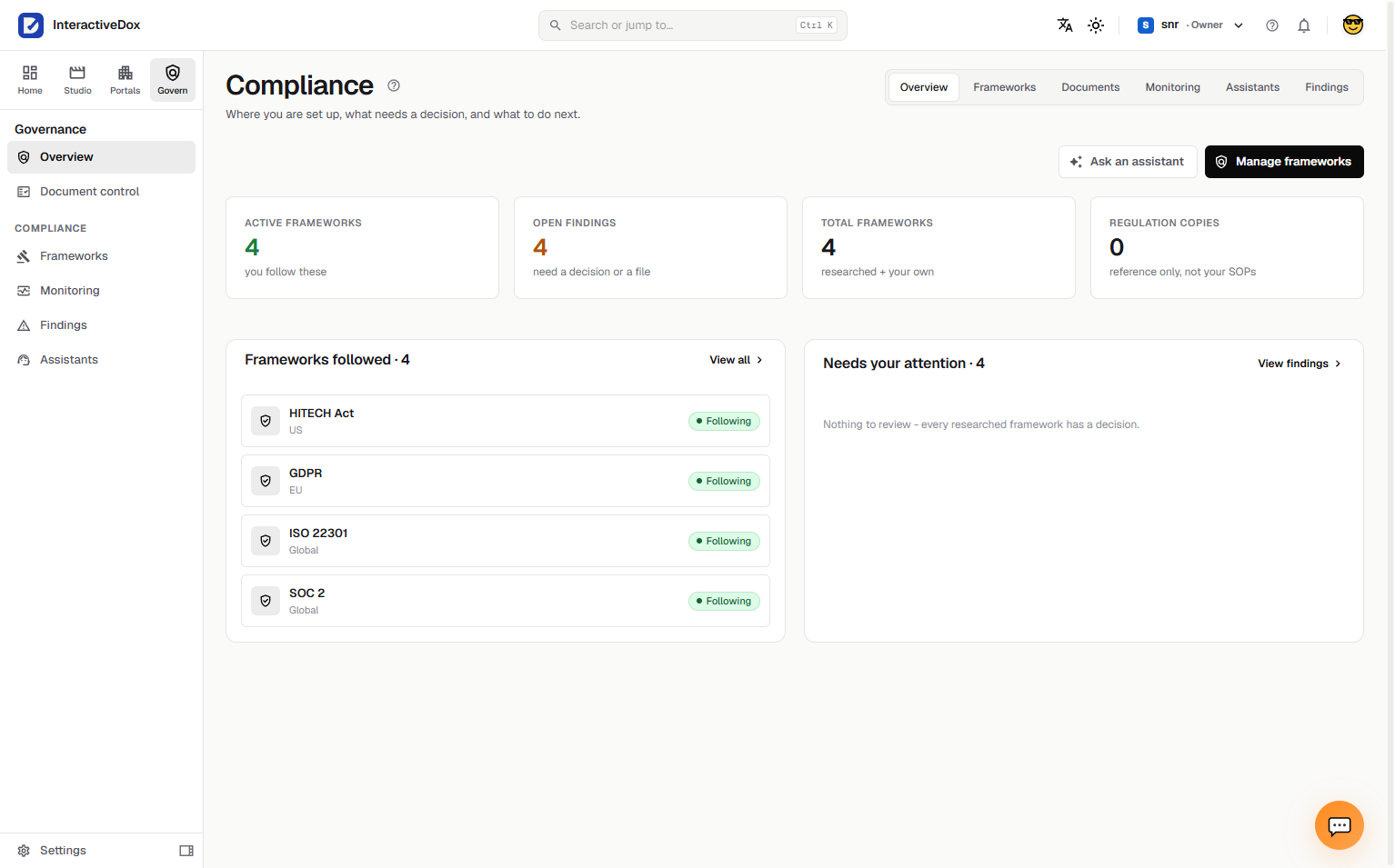
Where you are set up, what needs a decision, and what to do next, the frameworks you follow and the items waiting on a person.
Automated steps run where they are allowed to. Required human checkpoints wait for a person. Approvals and signatures are recorded as they happen, and the evidence and audit history build while the work runs.
Records kept as the work progressesIllustrative workflow: access change request
Access change request
Which checkpoints, approvals, and signatures a workflow requires depends on how it is configured.
Know which frameworks your procedures support, hear when those frameworks change, route important revisions for approval, and keep the evidence.
Frameworks
Know which frameworks your organization follows, in one place.
Monitoring
Hear when a framework you follow changes, and be able to show it was checked, even when nothing had changed.
Controlled documents
See which procedures each framework depends on, and which framework each procedure supports.
Findings
A change or an issue becomes a clear item with the documents it affects, so the right person can act on it.
Reviews & approvals
Important revisions reach the right reviewers, with multi-step and signature-backed approval for the documents that need it.
Evidence & audit
Show what changed, who approved it, when, and that it has not been altered since.
Each part of the record answers a question a reviewer or auditor will ask, without reconstructing it later.
Know which SOP version is current and what it replaced.
Retain accountable decisions.
Keep supported run results connected to the process.
Use signature-backed approval steps where configured.
Review who did what and when.
When a procedure or environment changes, Interactive Dox can surface the difference and route the proposed update through the appropriate review process before it becomes the approved version.
A procedure, framework, or environment changes.
The difference is surfaced next to the procedure it affects.
An update is proposed as a draft, not applied.
The appropriate reviewers review it.
An approver makes it the approved version.
The previous revision stays in the history.
Interactive Dox provides controls that help organizations operate controlled procedures and assemble reviewable evidence. Compliance decisions, and the independent assessments an audit requires, remain yours.
The controls around SOP-driven work: who is responsible, which procedure revision is current, what was approved, what the workflow recorded, and how changes are reviewed before they become the approved version.
Yes. Required human checkpoints and approvals are explicit steps in a configured workflow, and the workflow waits for the person. Signature-backed approval steps are available where configured.
No. It provides controls that help you operate controlled procedures and assemble reviewable evidence: revisions, approvals, execution records, and an audit trail. Compliance decisions and audit outcomes remain yours.
The change is surfaced next to the procedures it may affect, an update is proposed as a draft, and it goes through the appropriate review and approval before it becomes the approved version. The previous revision is kept.
Explore how one of your controlled procedures could run with explicit checkpoints, recorded approvals, and evidence built as the work happens.
Book a demo around one real SOP.
Leave your work email and we'll follow up to arrange a demo built around one of your procedures.