Why this holds when a help center doesn't.
Record a real workflow once.
Someone on your team clicks through the workflow while the extension or desktop app captures each step, screenshot, and context.
- Capture is explicit and starts on request
- Your workspace controls where capture is allowed
- Sensitive fields can be masked
It becomes the formats people actually use.
The same capture can generate all four, in one pass:
- A help article, against your template
- A narrated video, editable scene by scene, exported as MP4
- A training course with a graded quiz for your learning system
- A revision record for the file
Then it checks itself against the live product.
On a schedule you set, InteractiveDox re-runs the workflow against your live product and flags where the guidance is out of date.
- You find out before customers do, not from a ticket three weeks later
A release becomes an update, not a pile of tickets.
When a check finds a gap, we draft the corrected update and route it for review.
- Approve once, publish everywhere: help center, video, course, support bot
- The old version is kept for history, never overwritten
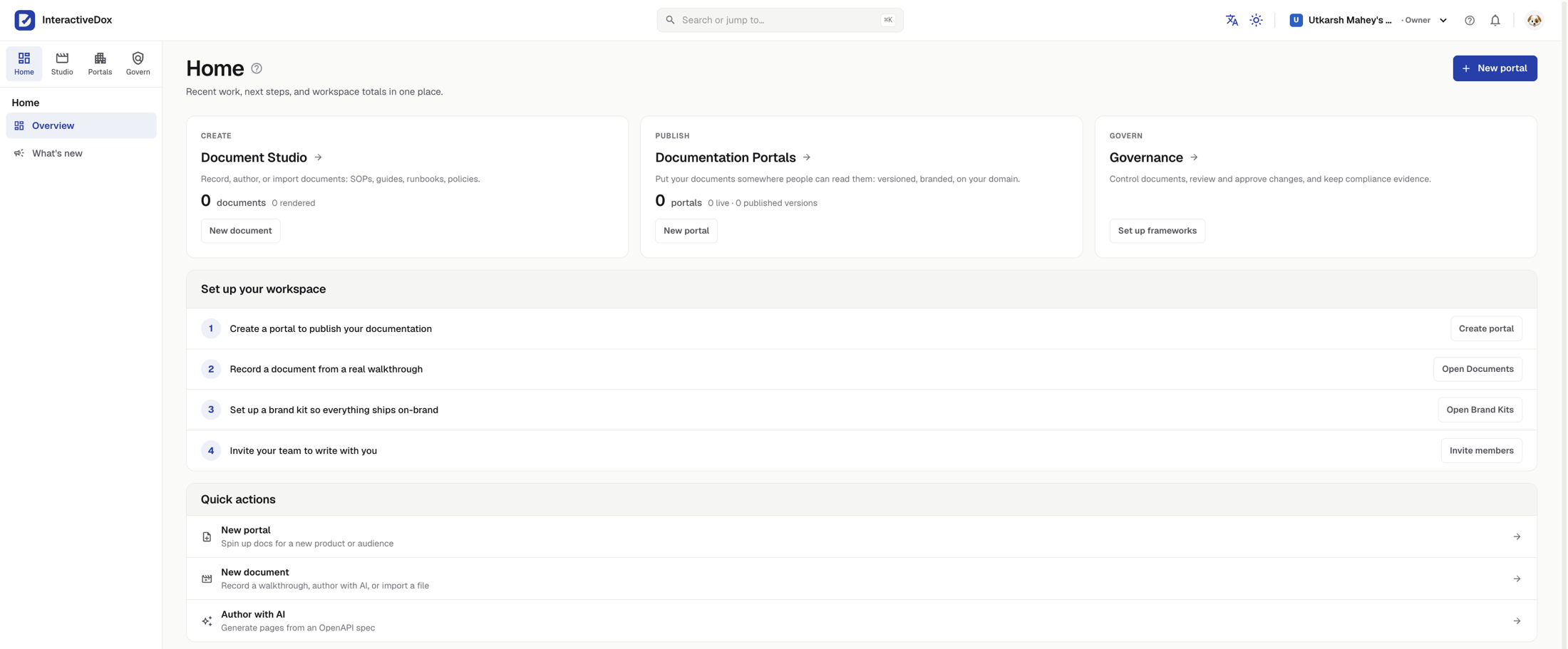
What you see the first time you sign in.
A real, unretouched capture. Three jobs across the top, a four-step setup list, and nothing to configure before your first recording.
What keeps it true.
active step
Check
Compliance
Your frameworks, pending decisions, and where the assistants can help.
Your compliance workspace
See which frameworks your organization follows, the regulations still awaiting a decision, and where grounded assistants can help.
Active frameworks
4
Open findings
3
Monitored regulations
12
Regulation files
26
Frameworks followed · 4
Needs your attention · 3
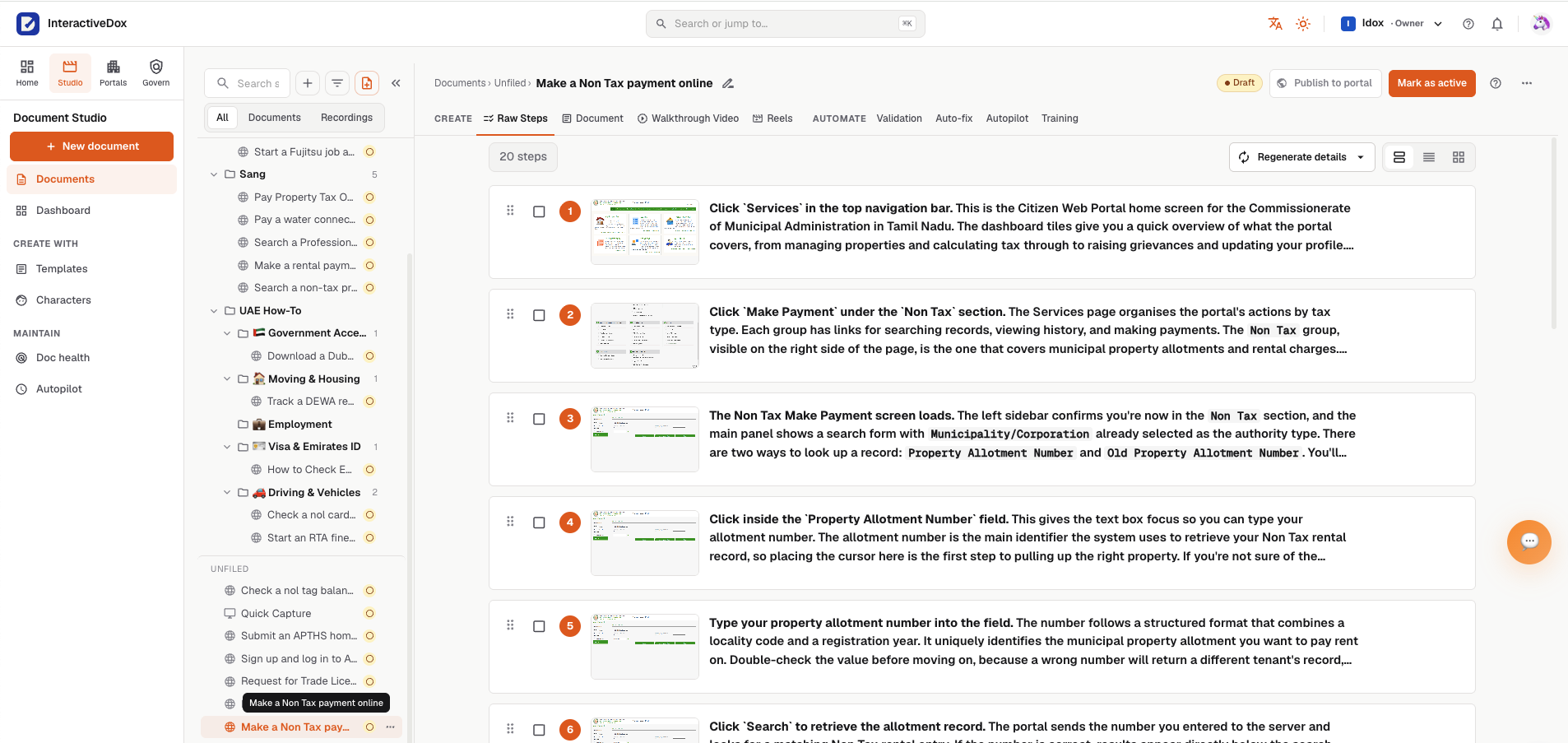
One platform. Two authoring lanes.
However your team likes to create, every guide lands in the same workspace, can publish to the same help portal, and can be checked against the live product on a schedule.
How-it-works questions, answered.
How does InteractiveDox work?
InteractiveDox records a workflow, turns it into docs and training, checks whether those instructions still match the real system or rule, then drafts updates when something changes.
What does record, generate, verify, update mean?
Record captures the workflow. Generate turns it into useful content. Verify checks whether the content still matches reality. Update drafts the corrected version for review and publishing.
Does InteractiveDox publish changes automatically?
No. When verification finds an outdated step, InteractiveDox drafts a proposed revision. Teams can review, approve, sign, and publish based on their needs.
What causes documentation to go out of date?
Documentation falls behind when screens, workflows, policies, regulations, API behavior, or internal procedures change but the published guide has not caught up.
Can checks run on a schedule?
Yes. Teams can schedule recurring checks so important workflows and controlled procedures are checked before outdated guidance reaches customers or staff.